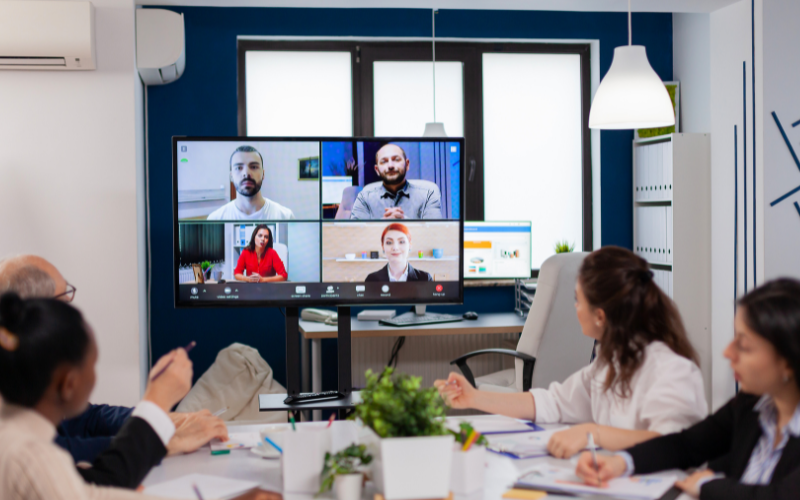
Video Conferencing Solutions
In the era of remote work and digital collaboration, hosting engaging and interactive virtual meetings is essential for maintaining productivity and team cohesion. Here are ten practical tips to make your virtual meetings more engaging and productive.
1. Set a Clear Agenda
Begin with a well-defined agenda shared with participants ahead of time. This sets expectations, ensures everyone is prepared, and helps keep the meeting on track.
2. Use Visual Aids
Incorporate slides, videos, and infographics to break the monotony of talking heads. Visual aids can make complex information more digestible and keep participants engaged.
3. Leverage Interactive Tools
Utilize interactive features like polls, Q&A sessions, and breakout rooms. These tools encourage participation and make attendees feel more involved.
4. Encourage Video Participation
Seeing faces fosters connection and accountability. Encourage everyone to turn on their cameras to create a more personal and engaging environment.
5. Assign Roles
Assign roles such as moderator, timekeeper, and note-taker. This not only distributes responsibility but also keeps everyone focused and engaged.
6. Start with Icebreakers
Begin with a quick icebreaker or fun activity to warm up the group. This can lighten the mood and encourage interaction right from the start.
7. Keep It Short and Sweet
Long meetings can be draining and counterproductive. Aim for shorter sessions with focused objectives. If a meeting needs to be longer, include breaks to keep energy levels up.
8. Foster Open Dialogue
Encourage open dialogue and create a safe space for sharing ideas. Ask open-ended questions and give everyone a chance to speak. This inclusivity can lead to more innovative solutions and stronger team bonds.
9. Use Real-Time Feedback
Ask for real-time feedback using chat or reaction features. This can help you gauge the room’s sentiment and adjust the meeting flow if necessary.
10. Follow Up with Action Items
Conclude the meeting with a summary of key points and action items. Send a follow-up email to reinforce what was discussed and outline next steps, ensuring everyone is on the same page.
By implementing these ten tips, you can transform your virtual meetings into dynamic, interactive, and productive sessions. Engaging participants through thoughtful planning, interactive tools, and open communication not only makes meetings more enjoyable but also drives better outcomes for your team. Happy meeting!
Video Conferencing Solutions
In the modern business landscape, effective communication is paramount to success, and video conferencing solutions have emerged as a vital tool for connecting teams, clients, and partners across the globe. With the rise of remote work and the need for seamless collaboration, selecting the right video conferencing solution for your business is a decision that should not be taken lightly. In this checklist, we’ll explore the key factors to consider when choosing video conferencing solutions and how L.E. Connect’s cutting-edge products align with these crucial criteria.
1. Scalability:
When evaluating video conferencing solutions, scalability is a vital factor to keep in mind. As your business grows, your communication needs will evolve as well. The chosen solution should be capable of accommodating a growing number of participants without sacrificing quality. L.E. Connect’s video conferencing solutions are built with scalability in mind, ensuring that whether you’re a small startup or a large enterprise, your communication infrastructure can expand seamlessly.
2. Features and Functionality:
Video conferencing solutions should offer a rich array of features to enhance collaboration. Look for features like screen sharing, real-time chat, recording capabilities, and integrations with other tools your team uses. L.E. Connect’s solutions boast an impressive feature set, enabling interactive meetings, presentations, and workshops that rival face-to-face interactions. With advanced features like virtual backgrounds and noise cancellation, your communication will be both engaging and professional.
3. Compatibility and Integration:
Efficiency is maximized when your video conferencing solution seamlessly integrates with your existing tech stack. Ensure that the chosen solution is compatible with various devices and operating systems to accommodate different preferences. L.E. Connect’s solutions prioritize compatibility, allowing participants to join meetings from their preferred devices, whether that’s a laptop, tablet, or smartphone. Furthermore, these solutions can be integrated with popular productivity and communication tools, streamlining your workflow.
4. Cost-effectiveness:
While the quality of communication is paramount, cost-effectiveness is also a significant consideration. A solution should provide a balance between features and pricing that aligns with your budget. L.E. Connect understands the need for cost-effective solutions, offering a range of pricing plans suitable for businesses of all sizes. Our commitment to value ensures that you get the best return on your investment without compromising on quality.
How L.E. Connect Excels:
L.E. Connect stands out as a leading provider of video conferencing solutions that excel in all the critical aspects mentioned above. With a focus on scalability, our products can accommodate businesses at any stage of growth. The robust feature set, including high-definition video and crystal-clear audio, guarantees a superior communication experience. The compatibility of L.E. Connect’s solutions ensures that your team can connect effortlessly, regardless of their chosen devices or platforms.
Moreover, L.E. Connect’s commitment to cost-effectiveness means you won’t have to break the bank to achieve top-tier communication. Our transparent pricing model and customizable plans enable you to tailor your solution to your specific needs.
In conclusion, the decision to select the right video conferencing solution is pivotal to fostering efficient communication and collaboration within your business. By considering factors such as scalability, features, compatibility, and cost-effectiveness, you can make an informed choice that aligns with your business goals. L.E. Connect’s exceptional products encompass all these elements, making them a compelling choice for businesses seeking reliable, innovative, and versatile video conferencing solutions.
Make the smart choice for your business’s communication needs – choose L.E. Connect and experience the future of video conferencing.
Video Conferencing Solutions
In today’s digital age, video conferencing has become an integral part of business communication, connecting teams and clients across the globe. While video conferencing offers numerous benefits, it also comes with its fair share of challenges. In this article, we’ll delve into the common video conferencing challenges and provide practical solutions and strategies to ensure smooth and productive virtual meetings.
Connectivity Problems: Staying Connected without Interruptions
One of the most frustrating challenges during video conferences is the dreaded connectivity issues. To overcome this obstacle, consider the following strategies:
High-Speed Internet Connection:
A stable and high-speed internet connection is paramount. Upgrade your internet plan if needed, and use a wired connection instead of relying solely on Wi-Fi.
Bandwidth Management:
Close unnecessary applications and background processes to allocate more bandwidth to your video conference. This can help prevent lag and buffering.
Network Testing:
Prior to important video conferences, use online speed test tools to check your internet’s upload and download speeds. If they’re not up to par, you might need to troubleshoot your network or contact your service provider.
Audio and Visual Quality: Ensuring Clear Communication
Effective communication heavily relies on clear audio and visual quality. Follow these tips to address audio and visual challenges:
Quality Equipment:
Invest in high-quality audio and video equipment, such as noise-canceling microphones and HD webcams. These upgrades significantly enhance the overall conferencing experience.
Proper Lighting:
Ensure adequate lighting in the room to avoid grainy or pixelated video. Natural light or soft, indirect lighting sources work best.
Audio Disturbances:
Background noise can disrupt conversations. Use headphones with noise-canceling features to isolate your audio and minimize distractions.
Security Concerns: Safeguarding Your Virtual Meetings
Security breaches during video conferences can lead to sensitive information leakage. Protect your virtual meetings with these strategies:
Secure Platforms:
Choose video conferencing platforms with robust security features. Look for end-to-end encryption, secure meeting IDs, and password protection.
Meeting Links and IDs:
Avoid sharing meeting links and IDs on public platforms. Instead, send invites directly to participants or use secure calendar scheduling.
Waiting Room Feature:
Many platforms offer a waiting room feature, allowing the host to control who enters the meeting. This prevents unauthorized access.
Distractions and Engagement: Maintaining Focus
Creating a focused and engaging virtual meeting environment can be challenging, but these strategies can help:
Agenda Setting:
Share a clear meeting agenda beforehand to keep the discussion on track. This helps participants come prepared and minimizes off-topic discussions.
Engagement Techniques:
Encourage active participation by asking questions, conducting polls, and assigning tasks. This keeps attendees engaged and invested in the conversation.
Background Consideration:
Choose a clutter-free and professional background for your video. This reduces distractions and maintains a professional atmosphere.
In conclusion, while video conferencing challenges are prevalent, they can be effectively managed with the right strategies and equipment. Prioritize a stable internet connection, invest in quality audio and visual equipment, prioritize security measures, and employ engagement techniques to ensure productive virtual meetings. By implementing these solutions, you can navigate through common video conferencing challenges and enjoy seamless communication with your colleagues and clients.
Remember, tackling these challenges requires a combination of technological upgrades and mindful practices. By optimizing your video conferencing setup, you’ll be well-equipped to overcome any obstacles that come your way.
Video Conferencing Solutions
In today’s rapidly evolving professional landscape, the traditional concept of work has undergone a remarkable transformation. The rise of hybrid work models, where employees split their time between the office and remote work, has become a defining characteristic of modern businesses. As this trend gains momentum, the significance of effective communication has never been more pronounced. This is where video conferencing solutions step onto the stage, playing a pivotal role in fostering seamless communication between in-office and remote teams.
Embracing the Hybrid Work Revolution
The concept of hybrid work represents a harmonious blend of the traditional office environment and the flexibility of remote work. Enabled by advancements in technology and changing work culture, employees are no longer constrained by the four walls of an office. This newfound flexibility enhances work-life balance, reduces commuting stress, and opens up opportunities for businesses to tap into a global talent pool.
The Crucial Role of Video Conferencing Solutions
At the heart of a successful hybrid work environment lies the ability to communicate and collaborate effectively. Video conferencing solutions have swiftly emerged as the cornerstone of this new work paradigm. Here’s how they are reshaping the way teams connect:
1. Bridging the Distance Gap
Physical separation between team members can often lead to a sense of disconnection. Video conferencing solutions bridge this gap by offering face-to-face interactions, irrespective of geographical locations. This helps build rapport, understanding, and a sense of camaraderie among team members, fostering a more cohesive work environment.
2. Real-time Collaboration
The collaborative spirit of an office space can be recreated through virtual meetings. Video conferencing solutions provide platforms for brainstorming sessions, idea sharing, and project updates, ensuring that both in-office and remote team members remain on the same page. Features like screen sharing and digital whiteboards enhance the real-time collaboration experience.
3. Enhanced Productivity
Video conferencing solutions empower hybrid teams to maintain high levels of productivity. Meetings can be scheduled efficiently, reducing the need for extensive travel time. Moreover, the visual element of video communication reduces misunderstandings and enhances the clarity of discussions, contributing to better decision-making.
4. Personalized Engagement
In a hybrid work environment, ensuring that every team member feels valued and engaged is paramount. Video conferencing allows for face-to-face interactions that go beyond text-based communication. This personal touch helps managers and colleagues connect on a deeper level, promoting a sense of belonging and reducing feelings of isolation among remote workers.
5. Flexibility and Accessibility
One of the core principles of hybrid work is flexibility. Video conferencing solutions align seamlessly with this principle, enabling team members to join meetings from various devices and locations. This accessibility ensures that crucial discussions and decisions can take place regardless of physical presence.
The Way Forward
As hybrid work models become the norm rather than the exception, businesses must embrace the potential of video conferencing solutions to facilitate effective communication and collaboration. A strategic approach to implementing these solutions can lead to increased productivity, improved employee satisfaction, and a competitive edge in today’s dynamic business landscape.
In conclusion, the era of hybrid work demands tools that transcend physical boundaries and foster meaningful interactions. Video conferencing solutions have risen to this challenge, redefining the way teams communicate, collaborate, and thrive in a new era of work. By leveraging these solutions effectively, businesses can bridge the gap between in-office and remote teams, creating a harmonious and productive work environment for all.